
Ac777 Deposit & Withdrawal Guide For New Players
Ac777 offers Pakistani users convenient ways to deposit funds and withdraw winnings through popular payment services such as JazzCash and EasyPaisa. New players can begin with smaller amounts while getting familiar with the games and available bonuses. The transaction process is designed to be straightforward, with payment details shown clearly before you confirm. If you face an issue with a transaction, you can contact customer support for assistance.
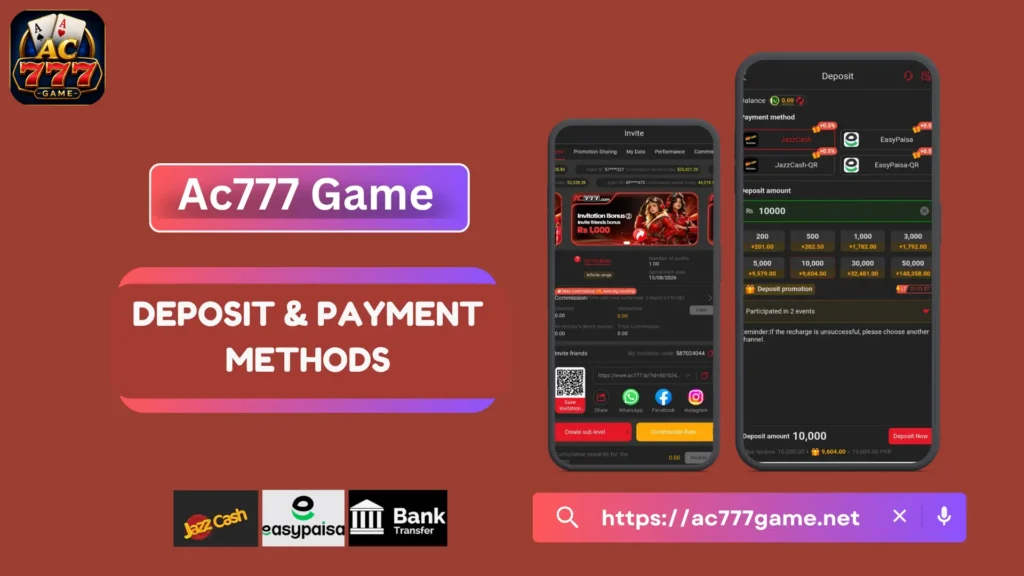
How Do Ac777 Deposits and Withdrawals Work?
If you want to play real-money games on ac777, understanding the deposit and withdrawal process is important. Without knowing the correct steps, you could:
- Transfer funds to an incorrect account
- Provide inaccurate payment information
- Experience unnecessary withdrawal delays
- Miss bonus conditions or requirements
Understanding how ac777 transactions work can help you avoid common mistakes and manage your account more confidently.
Safety Tips Before Making a Deposit
Before putting money into your ac777 account, keep the following points in mind:
- Confirm the Website: Make sure you are using the official ac777 website or app from a trusted source such as ac777game.net.
- Choose Reliable Payment Options: Use established services such as JazzCash or EasyPaisa whenever they are available.
- Protect Your Account: Create a strong password and use two-factor authentication if the option is provided.
- Check Deposit Limits: Look at the minimum and maximum deposit amounts before starting a transaction.
- Save Transaction Proof: Keep screenshots, receipts, or transaction IDs in case you need to contact support later.
Ac777 Deposit Process | Step-by-Step Guide
1. Sign In to Your Ac777 Account
Start by opening the ac777 website or app and logging into your account. New users should complete the registration process before attempting to make a deposit. Once logged in, you can access the account wallet.
2. Open the Wallet or Deposit Page
Find the “Wallet,” “Balance,” or “Deposit” option on the dashboard. Depending on the version of the app or website, its location may be different. Your available balance should also be visible in this section.
3. Select a Payment Option
Choose a supported local payment method, such as JazzCash or EasyPaisa. These options are commonly used in Pakistan for online transactions. Make sure the payment method you select is available in your account before proceeding.
4. Enter the Amount You Want to Deposit
Enter the amount you want to add to your account. Depending on the current platform rules, minimum deposits may be around Rs. 300–500. If a welcome or first-deposit bonus is available, carefully check its conditions before accepting it.
5. Confirm the Transaction
Review the amount and payment information before selecting “Deposit” or “Proceed.” You may then be redirected to JazzCash or EasyPaisa to authorize the transaction through your PIN, OTP, or biometric verification.
6. Check Your Balance
After completing the payment, check your W33 balance to confirm that the funds have been credited. Some transactions may appear quickly, while others can take additional time. If a bonus is available, make sure you understand how it needs to be activated.
Common Ac777 Deposit Problems & Their Solutions
1. Deposit Has Not Appeared
First, check the transaction history in your JazzCash or EasyPaisa account. Refresh the W33 wallet after a few minutes. If the payment was successful but the balance has not updated, keep the transaction receipt and contact support.
2. Incorrect Deposit Amount
Always review the amount before making the final payment. If you accidentally transfer an incorrect amount, save the transaction details and contact customer support as soon as possible.
3. Payment Was Unsuccessful
Check that your wallet contains enough funds and that your internet connection is working properly. You can try the payment again or use another supported payment method if the problem continues.
4. Website or App Is Not Working Properly
Temporary technical issues can sometimes prevent a transaction from completing. Clear your browser or app cache, restart the application, and try again. A more stable Wi-Fi connection may also help when mobile internet is weak.
5. Deposit Limit Reached
Review the current minimum and maximum deposit limits. If the amount you entered is outside the permitted range, adjust the amount according to the limits shown on the platform.
How to Withdraw Your Earnings from Ac777
1. Log In to Your Account
Open the ac777 website or app and sign in securely. Before requesting a withdrawal, check whether your account has any pending verification or bonus requirements.
2. Open the Withdrawal Page
Go to the “Withdraw,” “Cash Out,” or “Wallet” section from your account menu. Your available balance should be displayed before you start the withdrawal.
3. Select Your Withdrawal Method
Choose a supported option such as JazzCash or EasyPaisa. Enter the mobile account details carefully and make sure the information belongs to the correct account.
4. Enter the Withdrawal Amount
Type the amount you want to cash out while staying within the applicable limits. Depending on the platform’s current rules, minimum withdrawal amounts may be around Rs. 500–1000. Always check the limits shown at the time of withdrawal.
5. Check Your Information
Before submitting the request, carefully review your mobile number, withdrawal amount, and any OTP or verification information requested by the platform. Correct details help prevent avoidable transaction issues.
6. Submit and Monitor the Request
Select “Withdraw” or “Confirm” to submit your request. After submission, keep the confirmation or transaction reference. If the money does not arrive within the expected processing period, contact customer support with your transaction details.
How Long Do Ac777 Withdrawals Take?
The processing time can depend on the payment method and account verification status.
- Some ac777 withdrawals may be processed within 5–30 minutes.
- E-wallet payments can be quicker than traditional bank transfers.
- A first withdrawal may require additional account or identity verification.
- Later transactions can be processed more smoothly once the account has been verified.
Common Reasons for Ac777 Withdrawal Delays
1. Account Verification
A new account may need additional identity or account verification before the first withdrawal can be processed.
2. Selected Payment Method
Different payment methods have different processing times. Bank transfers can take longer compared with supported e-wallet services.
3. Bonus Conditions
If you have accepted a bonus, there may be specific wagering or play requirements that need to be completed before the associated funds can be withdrawn.
4. Additional Security Review
Unusual transactions or larger withdrawal requests may require additional checks before the payment is approved.
How to Prevent Ac777 Withdrawal Issues
- Complete verification early: If verification is required, complete it before you need to withdraw.
- Use a suitable payment method: Choose a supported e-wallet when you want a potentially faster transaction.
- Review bonus conditions: Understand the requirements attached to any bonus before using it.
- Keep account activity consistent: Avoid activity that could trigger additional security checks.
Final Words About Ac777 Deposits and Withdrawals
Making deposits and withdrawals on ac777 is easier when you carefully check every transaction before confirming it.
- Deposit responsibly: Only add money that you can afford to use.
- Check payment details: Confirm the account number and other information before sending funds.
- Understand bonus terms: Read the conditions attached to promotions before accepting them.
- Complete required conditions: Make sure applicable play or bonus requirements are fulfilled before requesting a withdrawal.
- Save transaction records: Keep screenshots and receipts until the transaction has been completed successfully.
FAQs About Ac777 Deposits and Withdrawals
Does ac777 have daily or monthly deposit limits?
Deposit limits can vary depending on the account, verification status, and current platform rules. Check the limits displayed in your account before making a payment.
Will my deposit be converted into another currency?
If your selected payment provider uses a different currency, the transaction may be converted according to the provider’s current exchange rate. Additional provider charges may also apply.
Can I deposit using another person’s payment account?
For security and account verification purposes, payment methods may need to be registered to the same person as the ac777 account. Always follow the platform’s current payment rules.
Can I submit several withdrawal requests at the same time?
This depends on the platform’s current policy. Some systems may allow multiple requests, while others may require an existing withdrawal to be completed before another one can be submitted.
What if I enter the wrong withdrawal information?
Incorrect payment details can cause a transaction to fail or become delayed. Always review your account number, mobile number, and withdrawal amount carefully before confirming.
Can ac777 restrict withdrawals from an account?
A withdrawal can potentially be held or restricted if an account requires verification, triggers a security review, or does not meet applicable platform requirements. In such cases, contacting customer support is the best way to understand the reason.